


Artificial Intelligence (AI) is no longer just a buzzword—it’s becoming a vital part of everyday life and work. Learning how to use AI tools can significantly improve productivity, creativity, and decision-making. Whether you are a student, professional, or small business owner, understanding AI tools can save you time and effort while giving you a competitive edge.
Many beginners feel overwhelmed by AI tools because there are so many options available, from content creation tools and data analysis platforms to automation software and chat assistants. The good news is that with a clear guide, anyone can start using AI tools effectively without needing a technical background. In this article, we will walk you through what AI tools are, why they are important, how to use them step by step, their benefits, risks, common mistakes, and expert tips. By the end, you’ll feel confident about integrating AI tools into your workflow.
Whether you want to automate repetitive tasks, generate ideas, or analyze data faster, mastering AI tools can transform the way you work. We will also cover practical examples and tips that beginners and intermediate users can apply immediately. Let’s dive in and discover the full potential of AI tools.
What is AI Tools?
AI tools are software applications that use artificial intelligence to perform tasks that typically require human intelligence. These tasks include problem-solving, learning, understanding language, recognizing patterns, and making predictions. In simple terms, AI tools are like smart assistants that can help you do things faster, smarter, and more accurately.
There are different types of AI tools:
- Automation Tools: These handle repetitive tasks automatically, such as scheduling emails or managing social media posts.
- Data Analysis Tools: AI can analyze large amounts of data and provide insights in minutes.
- Content Creation Tools: These generate text, images, videos, or other content based on your inputs.
- Decision-Making Tools: AI can suggest the best options based on data patterns and trends.
In short, AI tools are designed to make our work easier, reduce human errors, and provide faster solutions to complex problems. They are versatile and can be applied in business, education, marketing, personal productivity, and more.
You May Also Like It
Productivity Hacks 2025: Boost Your Efficiency Every Day
DIY Tech Tips: A Complete Guide for Beginners and Enthusiasts
Software Tutorials Step by Step | Easy Learning Guide
Why is AI Tools Important?
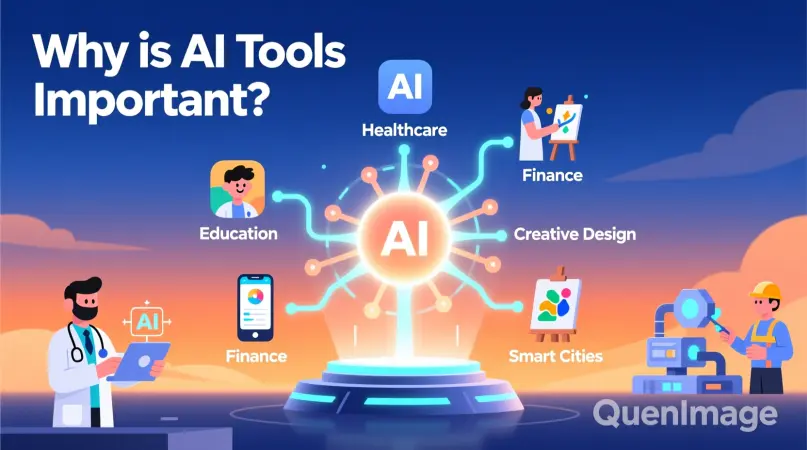
The importance of AI tools cannot be overstated in today’s fast-paced world. Here’s why:
- Efficiency and Speed: AI tools can perform tasks much faster than humans. For instance, data analysis that takes hours can be done in minutes.
- Accuracy: AI reduces human errors, especially in repetitive or data-heavy tasks.
- Cost-Effective: By automating tasks, businesses can save money on labor and operational costs.
- Innovation: AI tools allow users to experiment with new ideas, create content, and make data-driven decisions.
- Competitive Advantage: Businesses and individuals using AI tools can stay ahead by improving productivity and decision-making.
AI tools are essential because they empower users to focus on higher-level tasks, enhance creativity, and make smarter decisions based on data insights.
Detailed Step-by-Step Guide to Using AI Tools
Using AI tools may seem intimidating at first, but it becomes simple when broken down into steps. Here’s a complete guide:
Step 1: Identify Your Needs
Before choosing an AI tool, understand what you want to achieve. Ask yourself:
- Do I need help with content creation?
- Do I want to automate repetitive tasks?
- Am I looking to analyze large datasets?
- Do I want AI for personal productivity or business use?
Knowing your goal will help you pick the right tool.
Step 2: Choose the Right AI Tool
There are countless AI tools available. Choose one based on:
- Ease of use
- Features that match your needs
- Compatibility with your existing workflow
- Budget
For example, if you want to generate written content, pick a content generation tool. If you need insights from data, a data analysis AI is better.
Step 3: Learn the Basics
Spend time learning how the tool works. Most AI tools provide tutorials, demos, or guides. Understanding basic functionalities ensures you use the tool effectively.
Step 4: Input Your Data or Instructions
AI tools work based on the input you provide. Ensure your data is accurate and instructions are clear. Poor inputs can lead to poor results.
- Example: For a content tool, give specific prompts and keywords.
- Example: For a data tool, ensure the data is clean and well-organized.
Step 5: Review and Refine Output
AI tools are powerful but not perfect. Always review the output for accuracy and quality. You may need to make adjustments or refine inputs to get the best results.
Step 6: Integrate Into Your Workflow
Once you are comfortable with the AI tool, integrate it into your daily workflow. Use it consistently for tasks it is designed for, and gradually expand its use for other functions.
Step 7: Keep Learning and Updating
AI tools are constantly evolving. Keep exploring new features, updates, and emerging tools to stay ahead. Continuous learning will maximize the benefits.
You May Also Like It
Newest Tech Gadgets 2025: A Complete Beginner-Friendly Guide
Tech Tutorials for Beginners: A Complete Guide to Getting Started
Latest Tech News Today: Trends, Updates, and Insights
Benefits of AI Tools
Using AI tools offers numerous advantages:
- Saves Time: Automates repetitive tasks and speeds up workflows.
- Improves Accuracy: Reduces human errors in calculations and predictions.
- Enhances Creativity: Provides ideas, content suggestions, and innovative solutions.
- Boosts Productivity: Lets you focus on strategic and creative tasks.
- Data-Driven Decisions: Offers insights based on real data patterns.
- Scalable Solutions: Works for individuals, small businesses, and large enterprises.
Disadvantages / Risks of AI Tools
While AI tools are helpful, they come with potential risks:
- Dependence: Over-reliance on AI can reduce human skills.
- Errors in Output: AI may produce inaccurate results if inputs are poor.
- Privacy Concerns: Some tools store sensitive data, which can be a risk.
- Cost: Advanced AI tools can be expensive.
- Complexity: Learning sophisticated AI tools can be challenging for beginners.
Common Mistakes to Avoid
When using AI tools, avoid these mistakes:
- Not Defining Goals: Using AI without a clear purpose can waste time.
- Poor Inputs: Incorrect or vague instructions lead to poor results.
- Ignoring Human Review: Always check AI outputs; never fully rely on them.
- Overloading Tools: Using one tool for too many tasks can reduce efficiency.
- Skipping Updates: Not updating the tool can make you miss new features and improvements.
FAQs About AI Tools
What are AI tools used for?
AI tools are used to automate tasks, analyze data, create content, and assist in decision-making. They save time and improve productivity.
Do I need technical skills to use AI tools?
Not necessarily. Many AI tools are user-friendly and designed for beginners. Some advanced tools may require basic knowledge of data handling.
Are AI tools expensive?
Some tools are free, while advanced tools require a subscription. Choose one based on your needs and budget.
Can AI tools replace humans?
No, AI tools assist humans but cannot fully replace creativity, judgment, and emotional intelligence.
How do I choose the best AI tool?
Select a tool based on your goal, ease of use, features, and compatibility with your workflow.
Is AI safe to use?
Yes, if you follow best practices such as protecting data privacy and reviewing outputs.
Can AI tools improve my business?
Absolutely. They can automate tasks, enhance marketing, provide insights, and boost productivity, giving your business a competitive edge.
Expert Tips & Bonus Points
- Start Small: Begin with one AI tool and master it before adding more.
- Experiment: Try different inputs to see how results vary.
- Stay Updated: Follow tool updates to use new features effectively.
- Combine Tools: Use AI tools together for maximum efficiency (e.g., automation + data analysis).
- Backup Your Data: Always save important work; AI tools can make mistakes.
Bonus Tip: Keep learning about AI trends and emerging tools. Staying informed ensures you can take advantage of the latest technologies.
Conclusion
Learning how to use AI tools is a game-changer for beginners and intermediate users. These tools can save time, improve productivity, and open new creative possibilities. By choosing the right tools, providing clear inputs, reviewing outputs, and integrating them into your workflow, you can harness AI to make smarter decisions and work more efficiently.
Remember, AI tools are assistants, not replacements. Human creativity, judgment, and oversight remain essential. Start small, practice regularly, and gradually explore advanced features. With consistency and curiosity, anyone can become proficient in using AI tools and experience their full potential.
Embracing AI is not just about technology—it’s about improving how we work and think. The sooner you start, the sooner you can enjoy the benefits of faster, smarter, and more informed decision-making.
You May Also Like It
Tech Innovations 2025: A Complete Beginner-Friendly Guide
Wearable Technology Trends: A Complete Guide to the Future of Smart Wearables
Upcoming Smartphones 2025: Features, Trends, and Buying Guide
